Top Custom GPU Server Builders for Global Buyers

Time:2026-09-18 Author:Isabella
0%

Choosing among the top custom GPU server builders requires more than comparing graphics cards and advertised prices. Global buyers need dependable engineering, transparent sourcing, and support that continues after delivery. A serious custom GPU server builder should explain GPU compatibility, power requirements, cooling design, networking, and rack dimensions in practical terms. The details matter.

Charles Liang, founder and CEO of Supermicro, has described the direction plainly: “The future of computing is accelerated computing.” His statement reflects today’s growing demand for GPU systems in artificial intelligence, scientific research, rendering, and data analytics. Yet acceleration alone does not guarantee a useful server. A poorly balanced system may contain powerful GPUs but suffer from limited memory, weak airflow, or insufficient power distribution.

This guide examines builders serving international customers, including established manufacturers and specialized integrators. It considers customization depth, component quality, validation procedures, warranty coverage, delivery experience, and regional technical support. Buyers should ask for thermal test results, firmware practices, lead times, and clear replacement terms. Vague promises deserve caution.

Real workloads expose weak designs.

A builder may recommend four GPUs, but the customer might need eight. Another system may fit a standard rack while exceeding the facility’s power budget. Those differences can reshape total ownership costs. Frankly, no ranking can remove every uncertainty. Supplier performance varies by project, location, and configuration. Therefore, readers should treat this overview as a practical starting point, then verify certifications, references, and service commitments before placing an order.
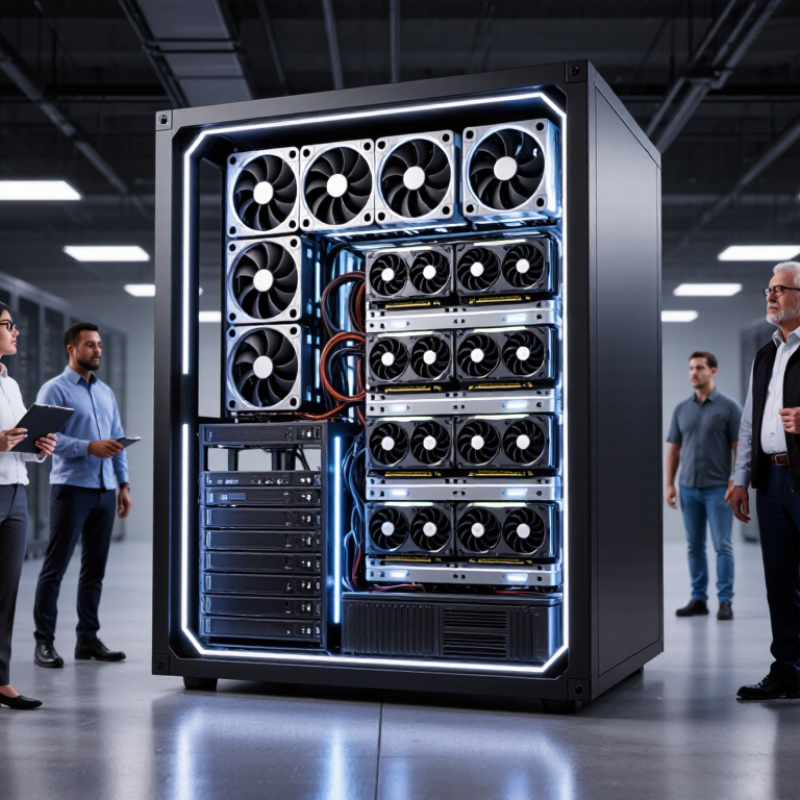
Top Custom GPU Server Builders for Global Buyers

What Custom GPU Server Builders Provide

Top Custom GPU Server Builders for Global Buyers

Custom GPU server builders provide more than assembled hardware. They translate workload requirements into balanced systems for training, inference, simulation, or rendering. A practical design review examines accelerator density, CPU capacity, memory bandwidth, storage lanes, networking, rack depth, and power limits. IDC projects worldwide artificial intelligence spending will exceed 632 billion dollars by 2028, with infrastructure representing a major share of that growth. Buyers therefore need configuration advice, not merely a component list.

Cooling is decisive. According to the Uptime Institute’s 2024 Global Data Center Survey, power issues remain the leading cause of serious data center outages. Experienced builders validate thermal behavior under sustained workloads, measure rack-level power draw, and specify air or liquid cooling according to site conditions. They can also provide burn-in testing, firmware alignment, remote monitoring, spare-part planning, and regional warranty support. These details reduce deployment friction across different electrical standards and data center environments.

Performance claims require caution. A server may reach a high benchmark score but perform poorly with a customer’s models, datasets, or container stack. Builders should offer workload-based testing and document the software environment. I have found that delivery schedules are often less predictable than quoted; accelerator availability, customs clearance, and validation can alter the timeline. That weakness deserves clear communication. Good suppliers explain trade-offs, publish test methods, and leave upgrade paths for memory, networking, and storage instead of promising an unrealistic “future-proof” system.

How to Evaluate GPU Server Design and Performance

Choosing a custom GPU server requires more than comparing accelerator counts. Evaluate the complete design: memory capacity, PCIe bandwidth, network latency, storage throughput, and cooling headroom. A fast accelerator can underperform when data arrives too slowly. It happens often.

MLPerf Inference v4.1 separates performance by latency targets, batch sizes, and power settings. These measurements are more useful than peak specifications alone. Ask builders for results from workloads resembling yours, such as language models, image processing, or scientific simulation. Check throughput, 95th-percentile latency, and performance per watt. IEA’s Electricity 2024 report projects data-center electricity use could exceed 1,000 TWh by 2026, compared with about 460 TWh in 2022. Efficiency is now a design requirement, not a marketing detail.

Inspect the chassis physically. Count usable expansion slots, power connectors, fan zones, and service clearance. Confirm whether the power supply supports sustained loads without excessive derating. Air cooling may suit moderate deployments, while dense configurations can require liquid-assisted systems. ASHRAE TC 9.9 guidance helps assess inlet temperature and humidity limits. Uptime Institute’s 2024 Global Data Center Survey continues to identify power issues and human error as important outage factors, so redundancy and maintenance access matter. A polished benchmark sheet can still hide thermal throttling. Request long-duration tests, failure-recovery procedures, warranty response times, and firmware update policies. Some evaluation assumptions will be wrong; document them and retest before purchase.

Top Custom GPU Server Builders for Global Buyers - How to Evaluate GPU Server Design and Performance

Evaluation Area Measurable Dimension Reference Data or Design Range Recommended Validation Method Why It Matters to Buyers
GPU Capacity Number of accelerators per chassis Common configurations range from 1 to 8 GPUs. The practical limit depends on chassis width, PCIe lanes, power delivery, cooling, and GPU form factor. Request a slot map, GPU spacing diagram, power budget, and a full-load thermal test with every planned accelerator installed. Confirms that the advertised GPU count is usable under sustained workloads rather than only during idle operation.
GPU Form Factor Passive, active, single-width, or double-width design Passive data-center GPUs require chassis airflow. Double-width cards typically occupy two expansion slots and require greater mechanical clearance. Check mechanical drawings, slot spacing, retention brackets, airflow direction, and compatibility with the intended rack rails. Prevents installation conflicts and cooling failures caused by incorrect assumptions about card size or airflow.
GPU Memory Memory capacity and memory bandwidth Data-center accelerators commonly provide approximately 24–192 GB of high-bandwidth memory per GPU, depending on the selected generation and model class. Run the target model or simulation at the intended batch size; monitor memory allocation, out-of-memory events, and achieved bandwidth. Determines whether workloads fit in memory without reducing batch size or moving data frequently to slower system memory.
CPU and PCIe Topology CPU socket count, PCIe generation, and lane allocation PCIe 4.0 x16 provides about 31.5 GB/s theoretical bandwidth per direction; PCIe 5.0 x16 provides about 63.0 GB/s per direction. Inspect the motherboard topology and use peer-to-peer, host-to-device, and device-to-device bandwidth tests under realistic system load. A poor lane layout can leave GPUs sharing links or operating below their expected transfer performance.
System Memory Capacity, memory channels, and error correction ECC memory is standard for production server workloads. A practical planning rule is to size system RAM according to dataset staging, CPU preprocessing, and the number of concurrent jobs. Verify ECC operation, populated memory channels, NUMA locality, and peak memory consumption during representative jobs. Reduces data corruption risk and helps prevent CPU-side memory bottlenecks from limiting GPU utilization.
Local Storage Boot, cache, dataset, and scratch storage NVMe SSDs connected through PCIe are suitable for high-throughput datasets and scratch space. Separate boot and data devices simplify maintenance and recovery. Measure sequential and random I/O, queue-depth behavior, sustained write performance, and thermal throttling after cache exhaustion. Fast storage keeps data pipelines from starving the GPUs and improves job startup and checkpoint times.
Networking Link speed, latency, and multi-node scaling Common server-network options include 25, 100, 200, and 400 Gb/s Ethernet. The usable throughput is lower than the nominal line rate because of protocol overhead. Use an application-relevant network benchmark, verify switch and cable compatibility, and test all ports simultaneously. Critical for distributed training, remote datasets, cluster storage, and multi-node inference.
Power Delivery GPU power limit, PSU capacity, and redundancy High-performance accelerators commonly use approximately 300–700 W each. The design must also budget for CPUs, memory, storage, fans, and transient loads. Run a sustained maximum-power test, record inlet power, confirm circuit requirements, and verify redundant PSU failover. Prevents unexpected shutdowns, overloaded circuits, and performance reductions caused by power capping.
Thermal Design Airflow, inlet temperature, GPU temperature, and fan control The server should be tested at the buyer’s expected ambient temperature and rack airflow condition. Thermal limits are GPU-specific and must follow the accelerator manufacturer’s specifications. Run a minimum 30–60 minute full-load test while logging GPU temperature, clock speed, power, fan speed, and throttling events. Sustained thermal stability is more valuable than a short peak benchmark for production workloads.
Performance Efficiency Throughput per watt and utilization stability Report workload throughput together with average power, peak power, GPU utilization, memory utilization, and job completion time. Benchmark the buyer’s actual model, precision mode, input size, batch size, and software stack instead of relying only on synthetic scores. Supports accurate operating-cost comparisons and exposes bottlenecks hidden by peak-performance figures.
Software Compatibility Operating system, driver, runtime, and framework support The software stack should specify the supported Linux distribution or Windows Server version, GPU driver branch, compute runtime, container runtime, and framework versions. Request a reproducible image or software bill of materials and execute a clean-install acceptance test. Reduces deployment delays and avoids incompatibility between drivers, libraries, containers, and workload frameworks.
Reliability Error monitoring, burn-in testing, and component protection Look for ECC error reporting, machine-check logging, SMART monitoring, firmware controls, and documented power-loss behavior. Review burn-in records and deliberately test alerts, reboot recovery, storage replacement, and PSU or fan failover where supported. Improves fault detection and reduces the risk of silent data errors or extended downtime.
Manageability Out-of-band management and remote monitoring A server management controller should provide remote console access, hardware inventory, sensor readings, event logs, firmware management, and remote power control. Test management access during operating-system failure, verify role-based access, and export logs to the buyer’s monitoring platform. Essential for global deployments where local physical access may be limited.
Serviceability Access time, replaceable parts, and documentation Front-accessible drives, tool-less components, clear cabling, spare-part availability, and documented replacement procedures reduce maintenance effort. Perform a simulated drive, fan, PSU, and GPU replacement; record required tools, service time, and post-replacement validation steps. Shortens mean time to repair and lowers the operational burden for international buyers.
Total Cost of Ownership Acquisition, power, cooling, support, and lifecycle cost Compare total cost over the planned service period, including rack power, facility cooling, networking, software support, spare parts, warranty, and shipping. Calculate cost per completed job or cost per useful GPU-hour using measured power and real workload throughput. A higher purchase price can be justified when it delivers better utilization, lower downtime, easier service, or lower energy cost.
Buyer’s acceptance principle: Require a written configuration, measured benchmark results, full-load thermal and power records, software compatibility details, warranty terms, and a service-level plan before approving a custom GPU server.

Key Hardware Options for Different Computing Workloads

Choosing a custom GPU server starts with the workload, not the processor count.

Training large models demands multiple accelerators, high-bandwidth memory, fast interconnects, and distributed storage. The Stanford AI Index 2024 estimated GPT-4’s compute training cost at about 78 million US dollars. That scale makes poor hardware balance expensive.

Inference servers need different priorities.

Smaller models may run on fewer GPUs with large memory, while real-time services benefit from low latency, efficient cooling, and redundant power supplies.

Small models need less. Video analytics often needs many moderate GPUs, fast NVMe drives, and strong network cards. Scientific simulation may favor double-precision capability and large CPU memory. MLPerf Training v4.1 results also show that system design affects throughput, not just accelerator specifications.

Energy planning deserves equal attention.

The International Energy Agency’s Electricity 2024 report projects data-center electricity demand could more than double by 2026. Buyers should therefore compare liquid cooling, rack density, power usage effectiveness, and local electricity limits.

Custom builders should provide thermal testing and measured performance under sustained loads. I have seen impressive benchmark sheets fail in crowded racks. A reflective review of airflow, firmware, workload size, and failure recovery is essential. The best configuration is rarely the largest one.

Global Sourcing, Compliance, and Delivery Considerations

Top Custom GPU Server Builders for Global Buyers

Global Sourcing, Compliance, and Delivery Considerations

Selecting a custom GPU server builder requires more than comparing processing power. Buyers should verify manufacturing experience, component traceability, and documented quality procedures. Ask for test reports, serial-number tracking, and clear warranty terms. Paperwork is infrastructure. A reliable supplier should explain export classifications, destination restrictions, and required import documents before production begins.

Compliance responsibilities vary by country and product configuration. Confirm whether the server includes advanced accelerators, encryption features, or controlled technologies. Independent legal advice may be necessary for complex shipments. Supplier screening should cover ownership, factory location, subcontractors, and after-sales support. Vague answers create risk. Customs invoices must match the actual hardware, quantities, and declared values.

Delivery planning also needs practical detail. Discuss pallet dimensions, shock protection, insurance, customs brokers, and local installation support. Request a realistic lead time, not an optimistic estimate. A single missing certificate can leave expensive equipment at a border warehouse. Regional service partners can reduce downtime, but their technical capability should be tested. No checklist catches every delay. A weak point in many sourcing plans is the assumption that logistics ends after dispatch. In practice, power requirements, rack depth, cooling capacity, and local electrical standards can still disrupt deployment. Buyers should approve a pre-shipment inspection and keep written records of every change.

How to Select the Right Custom GPU Server Builder

Top Custom GPU Server Builders for Global Buyers

Selecting a custom GPU server builder requires more than comparing processor counts. Start with your workload: model training, inference, simulation, or video processing. Each need changes the ideal GPU memory, PCIe layout, storage speed, and network capacity. Ask for a detailed configuration sheet, not a sales estimate. It should show power draw, rack depth, cooling requirements, and upgrade limits. A reliable builder explains trade-offs clearly. That matters when electricity or cooling capacity is limited.

Tips: Request a sample burn-in report. Check GPU temperatures under sustained load. Confirm firmware update procedures and remote management features. Review warranty coverage, spare-part availability, delivery terms, and technical support in your region. Ask whether the builder can provide component traceability and compliance documents. Small details often prevent expensive downtime.

Experience also shows that the cheapest proposal can become costly after installation. A server may fit the rack but exceed its power circuit. Another may offer impressive performance but poor airflow between densely installed cards. Require compatibility testing before shipment, including memory checks, network tests, and workload simulations. Clarify service-level response times in writing. No builder gets everything perfect. A careful buyer should still question assumptions, especially promised performance figures, expansion options, and estimated delivery dates. A short pilot order can reveal weaknesses before a larger deployment.

Top Custom GPU Server Builders for Global Buyers: How to Select the Right Builder

Compare the practical priorities for selecting a custom GPU server builder. The weighting reflects common procurement considerations for AI training, inference, and high-performance computing deployments.

Technical compatibility and thermal design should be verified first, followed by power delivery, networking, support coverage, and delivery capability. Buyers should adjust these priorities according to workload scale, data-center infrastructure, and deployment region.

FAQS

What does a custom GPU server builder actually provide?

A capable builder translates workload needs into balanced hardware. They review accelerators, CPUs, memory, storage, networking, cooling, rack depth, and power limits. A component list alone is insufficient.

Which hardware suits large model training?

Large training workloads usually require multiple accelerators and high-bandwidth memory. Fast interconnects and distributed storage also matter. A poorly balanced system can waste expensive computing capacity.

How should an inference server be configured?

Inference systems often prioritize low latency, memory capacity, and efficient cooling. Smaller models may need fewer accelerators. Real-time services may require redundant power supplies and fast response paths.

Why is cooling important in a dense GPU server?

Sustained workloads create continuous heat inside crowded racks. Builders should test airflow, liquid cooling options, rack power, and thermal behavior. I have seen strong benchmark results fail in dense installations. Heat changes everything.

Can benchmark scores predict real customer performance?

Not reliably. Performance depends on models, datasets, firmware, containers, and workload size. Request workload-based testing with documented software versions. A polished score may still disappoint.

What should global buyers check before purchasing?

Verify manufacturing experience, component traceability, test reports, and serial-number records. Review warranty coverage and regional technical support. Ask for accurate invoices and required import documents. Paperwork matters.

How can buyers reduce delivery and customs delays?

Request realistic lead times, pre-shipment inspections, shock protection, insurance, and broker coordination. Confirm pallet dimensions and destination requirements early. One missing certificate can delay equipment in a warehouse. Dispatch is not the finish line.

What power and site details must be confirmed?

Check local electrical standards, rack depth, cooling capacity, outlet limits, and available network connections. Measure expected rack-level power under sustained workloads. A larger system is not automatically better. That assumption deserves reconsideration.

What upgrade options should a custom server include?

Ask whether memory, storage, and networking can be expanded later. The chassis should leave practical room for service and airflow. “Future-proof” promises deserve skepticism. Upgrade paths should be documented, not merely suggested.

Conclusion

A custom GPU server builder helps organizations design and deliver computing systems tailored to specific workloads, including artificial intelligence, machine learning, scientific research, media processing, and large-scale data analysis. These builders typically provide hardware planning, chassis and cooling design, GPU and CPU selection, memory and storage configuration, networking options, system integration, testing, and ongoing technical support. Evaluating a server design should include GPU performance, power efficiency, thermal management, expandability, reliability, software compatibility, and total ownership cost rather than focusing on specifications alone.

Different workloads may require different combinations of GPU quantity, memory capacity, storage speed, interconnect technology, and redundant power features. Global buyers should also consider sourcing transparency, product documentation, safety certifications, import requirements, warranty coverage, delivery schedules, and after-sales service. The right builder should demonstrate relevant engineering experience, flexible customization, quality-control procedures, clear communication, and the ability to provide a stable solution that matches both current requirements and future expansion plans.

Isabella

Isabella

Isabella is a dedicated marketing professional with a sharp focus on driving brand growth and engagement through strategic content creation. With an extensive background in digital marketing, she combines her passion for storytelling with her keen understanding of industry trends to deliver......